

You've heard them a thousand times.
That deep, smooth voice narrating a Reddit story while Minecraft parkour plays in the background. Or the calm female narrator walking you through "5 psychological tricks that actually work."
You probably didn't even realize it was AI.
That's how good AI voiceovers have gotten. And if you're making TikToks, YouTube Shorts, or Reels without one, you're leaving views on the table.
Recording your own voice means a quiet room, a decent mic, multiple takes, and editing out every "um." For one 60-second video, you might spend 30 minutes just on narration. AI voiceovers cut that down to about 10 seconds. Paste your script. Pick a voice. Hit generate. Done.
That's why faceless creators are pumping out 3-5 videos a day. The bottleneck is gone.
Let me show you exactly how to use them.
Best Use Cases for AI Voiceovers
Not every type of content needs AI narration. But the ones that do? They absolutely crush it.
Reddit Stories
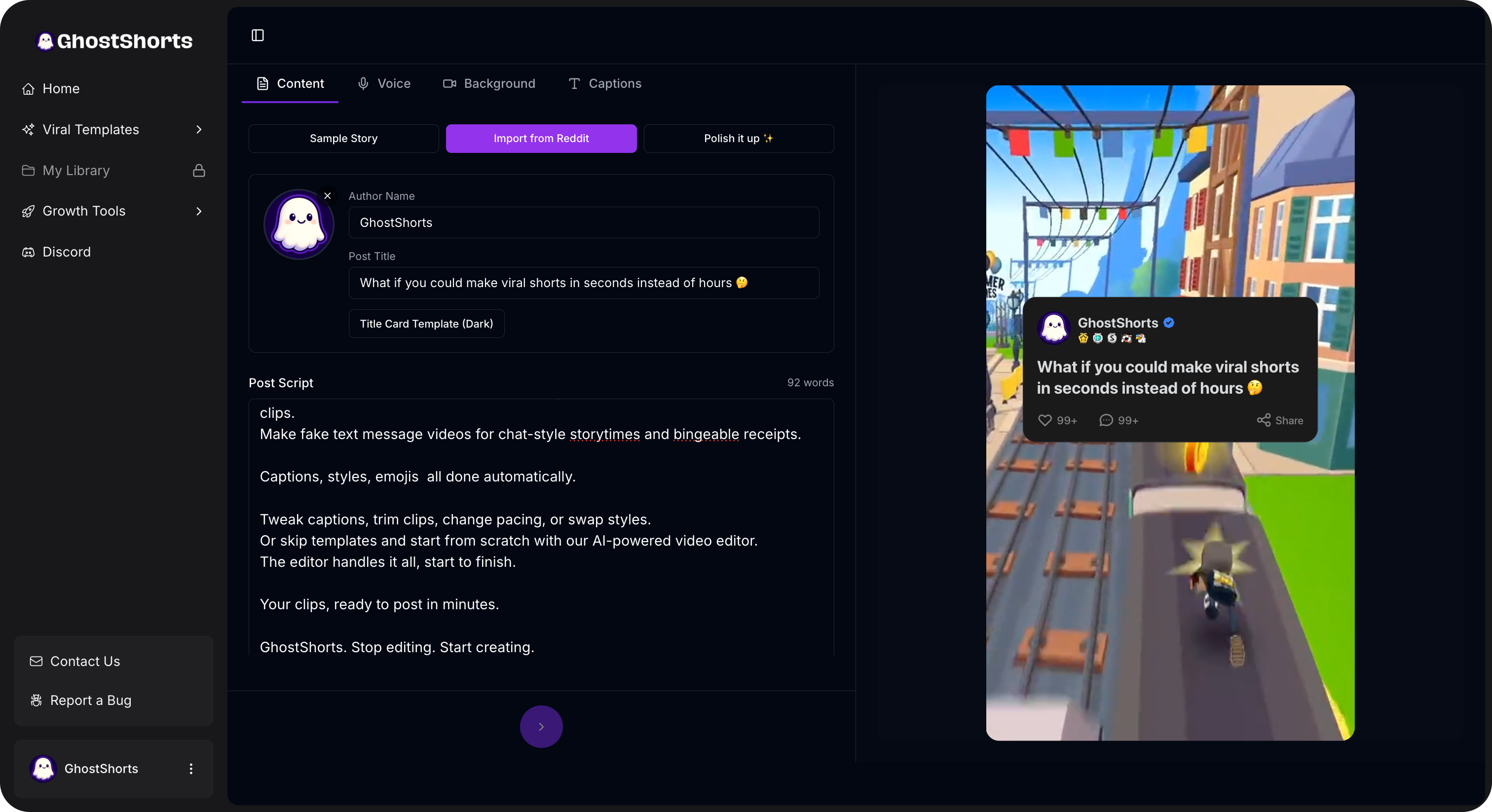
This is the golden child of AI voiceovers. Someone's AITA post, a relationship drama, a revenge story. Pair it with gameplay footage or a split-screen layout, add an AI narrator, and you've got a video that holds attention for 3+ minutes.
The voice does all the heavy lifting. It pulls people into the story. It creates tension. It makes them want to hear what happens next.
Top 5 / Top 10 Lists
"5 animals that could survive a nuclear apocalypse."
"10 foods that are banned in other countries."
These videos are engagement machines. And they need a confident, authoritative voice to deliver each item. AI handles this perfectly because the tone stays consistent across all 5 or 10 points.
Educational / Fact Content
Quick science facts. History moments. Psychology tricks. "Things you didn't know about..." videos.
The narrator voice adds credibility. It makes your content feel like a mini documentary instead of some random person talking into their phone.
Horror and Scary Stories
This is where AI voiceovers really shine.
A deep, slow male voice reading a creepy story from r/nosleep? With dark visuals and ambient sound? That's pure dopamine for horror fans.
The AI voice creates distance. It feels like someone is telling you a story around a campfire. That detachment actually makes it creepier.
Motivational Content
Sunrise footage. A calm, powerful voice delivering a quote about discipline and consistency. Soft music in the background.
These videos get shared constantly. And the AI voice gives them that polished, "produced" feel that makes people save and repost them.
Fake Text Stories
Two iMessage bubbles going back and forth. A narrator reading out each message with the perfect amount of drama.
Fake text videos are blowing up right now. And AI voiceovers add a whole new layer to them.
How to Pick the Right Voice
This is where most creators mess up.
They pick a voice they personally like. But that's not the point. The voice needs to match your niche.
Here's a quick breakdown:
Deep male voices work best for:
- Horror and scary stories
- Fact and trivia content
- History and science
- Motivational quotes
Upbeat female voices work best for:
- Lifestyle and beauty tips
- Daily routines
- Recipe and food content
- Life hacks
Calm narrator voices work best for:
- Reddit stories
- Storytime content
- Top 5 lists
- Educational explainers
Energetic voices work best for:
- Gaming content
- Sports highlights
- Reaction-style narration
- Trending topic breakdowns
Think of it like casting an actor for a role. You wouldn't put a bubbly voice on a horror story. You wouldn't put a deep, gravelly voice on a skincare routine video.
Match the voice to the vibe. Every time.
Tips for Making AI Voiceovers Sound Natural
Even the best AI voice can sound weird if your script isn't optimized for it.
Here are the tricks top creators use:
1. Use Short Sentences
AI voices handle short sentences way better than long, complex ones.
Instead of: "There are many interesting facts about the ocean that most people don't know about, including the fact that we've only explored about 5% of it."
Try: "We've only explored 5% of the ocean. Five percent. The rest is a complete mystery."
See the difference? Shorter sentences give the AI natural break points. It sounds more like a real person talking.
2. Use Punctuation to Control Pacing
This is a game-changer.
Periods create pauses. Use them liberally, even in places where you'd normally use a comma.
Commas create slight pauses. Good for lists and natural breathing points.
Ellipses (...) create dramatic pauses. Perfect for horror content or building suspense. "He opened the door... and nobody was there."
Question marks change the inflection. The AI voice will naturally rise at the end of a question. Use this to add variety to your narration.
3. Vary Your Sentence Length
Nothing sounds more robotic than a script where every sentence is the same length.
Mix it up. Some long. Some short. Some just two words.
Like that.
This creates a natural rhythm that makes the AI voice sound conversational instead of like it's reading a textbook.
4. Add Breathing Room
Don't pack your script wall-to-wall with words. Leave gaps. Add line breaks.
Your viewers need a second to process what they just heard. Especially for fact-heavy content or storytelling.
A one-second pause between sections can be the difference between "engaging" and "overwhelming."
5. Write How People Talk
Not how people write. How they TALK.
Use contractions. Say "don't" instead of "do not." Say "it's" instead of "it is." Say "gonna" if it fits the vibe.
Formal language makes AI voices sound stiff. Casual language makes them sound human.
Need help writing scripts that actually hook viewers in the first two seconds? Try the TikTok Hook Generator. It gives you proven opening lines you can feed straight into your AI voiceover.
Want to skip the editing?
GhostShorts turns your ideas into viral shorts with AI voiceovers, captions, and gameplay clips. Ready to post in minutes.
Try GhostShorts TodayFrom Robot to Real: The Evolution of AI Voices
Remember the original TikTok text-to-speech?
"HeY gUyS, hErE's A cRaZy StOrY."
It was... rough. Robotic. Choppy. Every word sounded like it was being read by a GPS from 2008.
People used it ironically. It became a meme. Nobody took it seriously for real content.
Then everything changed.
Modern AI voices are scary good. We're talking natural breathing patterns, emotional inflection, proper pacing. Some of them pause at commas. Some of them speed up during exciting parts. Some of them whisper.
The technology jumped from "obviously a robot" to "wait, is that a real person?" in about two years.
And in 2026? Most viewers genuinely cannot tell the difference between AI narration and a human voice. Multiple studies have confirmed it. Listeners rate AI voices as "natural sounding" over 85% of the time.
That's not a gimmick. That's a legitimate production tool.
Combining AI Voiceovers with Captions
Here's something a lot of creators overlook.
Audio + captions = double engagement.
Some people watch with sound on. Some watch on mute. If you only have voiceover, you lose the mute crowd. If you only have captions, you lose the audio crowd.
The move? Both.
AI voiceover narrating your content. Auto-generated captions synced perfectly to every word. The viewer can watch however they want, and your content still hits.
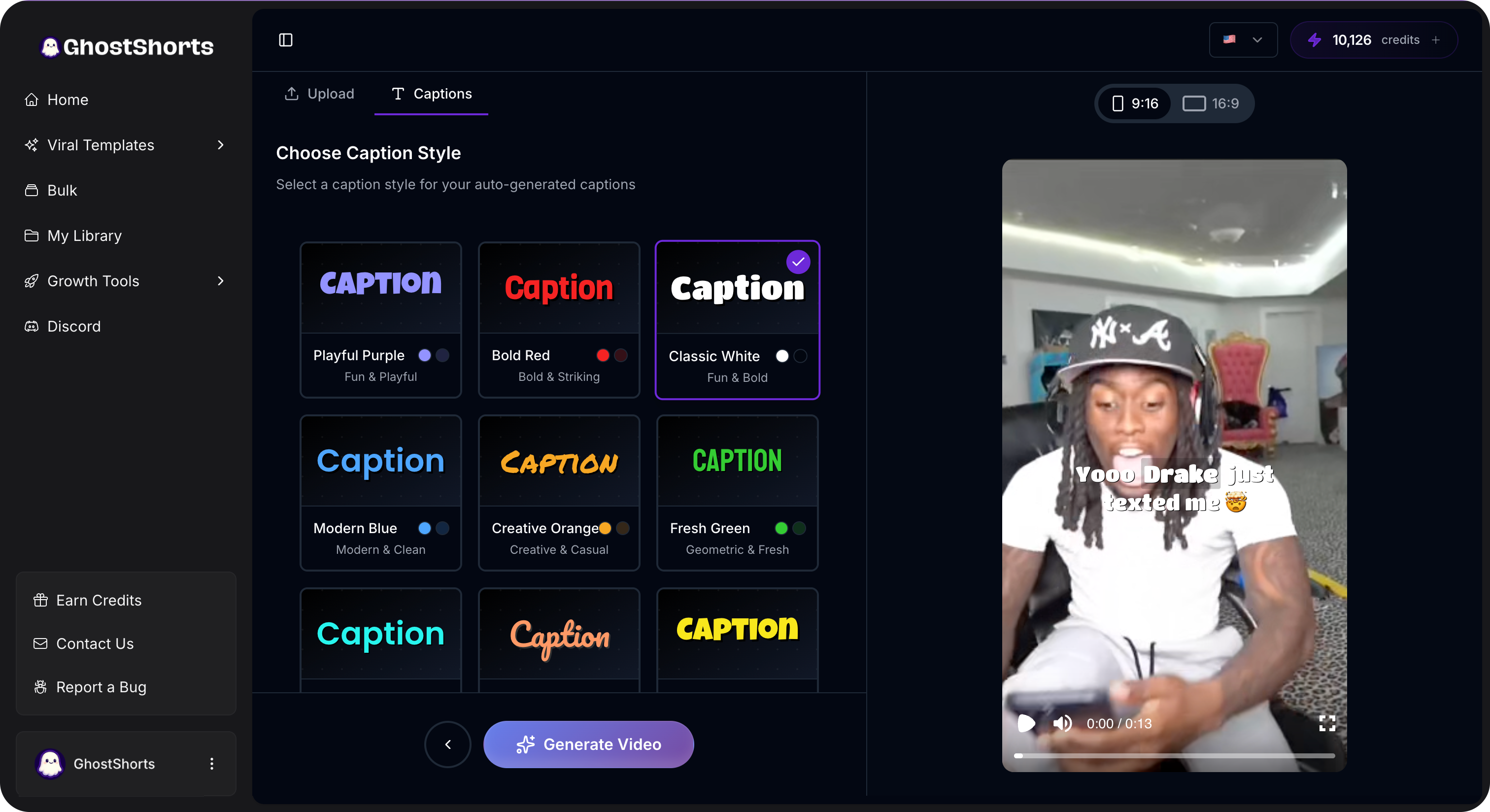
Captions also boost watch time. When people can read AND hear the content, they stay longer. TikTok's algorithm notices. YouTube's algorithm notices. Your views go up.
It's not optional anymore. Captions are mandatory for short-form in 2026.
Common Mistakes That Kill Your AI Voiceover Videos
I see these all the time. And they're all fixable.
Wrong Voice for the Niche
A cheerful, peppy voice reading a dark Reddit story about betrayal. It's jarring. It pulls people out of the content instantly.
Always test your voice against your content type before you publish. If it feels off to you, it feels off to your audience.
Too Fast
Some creators cram 500 words into a 60-second video. The AI voice rushes through everything. Nobody can keep up.
Slow down. A 60-second video should have about 130-160 words of narration. That's it. Leave room for the content to breathe.
No Background Music
AI voiceover alone can feel flat. It needs a bed of music underneath it to create atmosphere.
Lo-fi beats for chill content. Tense strings for horror. Upbeat electronic for high-energy lists. The music fills in the emotional gaps that even the best AI voice can't fully capture.
Keep the music at about 15-20% volume. It should be felt, not heard.
No Captions
We just talked about this. But it's worth repeating because so many creators skip it.
No captions = losing 30-40% of potential viewers. That's not a guess. That's based on platform data.
Add them. Always.
Monotone Scripts
The AI voice can only work with what you give it. If your script is flat and boring, the voice will sound flat and boring.
Add variety. Ask questions. Use exclamations. Create contrast between calm moments and intense moments.
Your script is the performance. The AI voice is just the actor reading it.
How GhostShorts Handles Voiceovers
Look, you can piece this all together yourself. Find a text-to-speech tool. Generate the audio. Import it into a video editor. Sync it up. Add captions separately. Export.
Or you can do it all in one place.
GhostShorts has AI voiceover narration built directly into the video creation flow. You pick your content type, whether that's a Reddit story, top 5 list, fake text conversation, or anything else. You write or paste your script. You choose your voice.
The platform generates the voiceover, syncs it to visuals, and adds auto-captions automatically.
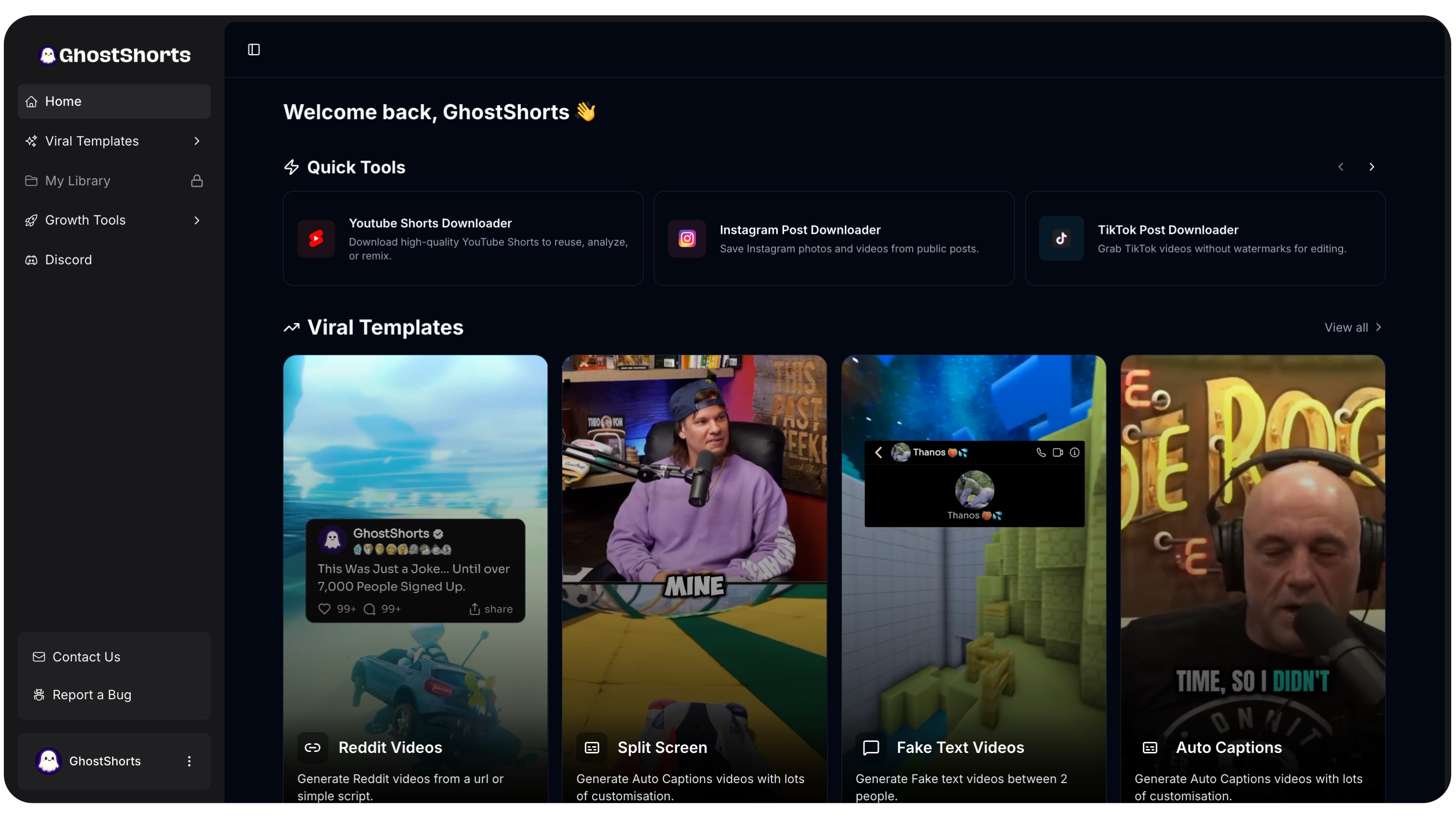
No switching between apps. No manual syncing. No caption timing headaches.
You go from script to finished video in minutes. Not hours.
That's why creators using GhostShorts are posting 3-5 videos a day while everyone else is still editing their first one.
Quick-Start Guide: Your First AI Voiceover Video
Want to try this right now? Here's the fastest path:
Step 1: Pick your content type. Reddit story, fact video, top 5 list, whatever gets you excited.
Step 2: Write a short script (150-200 words for a 60-second video). Keep sentences short. Use punctuation for pacing. Write how you talk.
Step 3: Choose a voice that matches your niche. Deep and calm for stories. Energetic for lists. Slow and eerie for horror.
Step 4: Generate the voiceover. Listen to it. If something sounds off, tweak the script, not the voice.
Step 5: Add captions. Sync them to the audio. Make sure they're large enough to read on mobile.
Step 6: Layer in background music at low volume.
Step 7: Post it.
Don't overthink your first one. Just get it out there. You'll learn more from posting 10 videos than from perfecting one.
If you're stuck on what to make, the Video Ideas Generator can give you trending concepts for your niche in seconds.
The Bottom Line
AI voiceovers aren't a shortcut. They're the standard now.
The creators winning on TikTok and YouTube Shorts in 2026 aren't recording into their phone mic. They're using AI voices that sound cleaner, more consistent, and more professional than 90% of human recordings.
The technology is there. The tools are there. The only question is whether you're going to use them.
Stop recording. Start generating.
Your audience can't tell the difference. But your posting schedule will.