
You already have the content.
Seriously. That 45-minute podcast episode? The hour-long YouTube video? The Twitch stream from last Tuesday?
There are dozens of Shorts hiding inside each one. And most creators just... leave them there.
Meanwhile, the creators blowing up on TikTok, YouTube Shorts, and Reels right now? Half of them aren't even making new content. They're just really good at chopping up their long stuff. Mr. Beast's team chops every video into a dozen clips. Joe Rogan's podcast clips get more views than most creators' entire channels.
Here's the math. You spend 10 hours making a long-form video. It gets 5,000 views. Pull 5 clips from that same video and post them as Shorts? Each one could hit 10,000 to 100,000+ views. One piece of content. 5x the reach. Zero extra filming.
Let me show you exactly how to do this the right way. Without it looking like a lazy crop job.
Not Every Moment Is a Good Clip
This is where most people mess up.
They just grab the first 60 seconds of their video. Or they randomly chop it into equal chunks. That's not repurposing. That's butchering.
A good clip needs to stand on its own. Someone who has never seen your full video should be able to watch the Short and get something out of it.
Here's what to look for when scanning your long videos:
- Hot takes. That moment where you said something bold or controversial? Clip it.
- High emotion. Laughing, yelling, genuine surprise. Emotion keeps people watching.
- Surprising stats or facts. "Did you know 80% of people watch videos without sound?" That's a clip.
- Funny moments. If it made you laugh in the original, it'll work as a Short.
- Clear, bite-sized advice. A 30-second tip that solves a real problem? Gold.
- Story hooks. Any time you started telling a story that pulls people in.
What does NOT make a good clip:
- Long intros or "hey guys, welcome back"
- Context-heavy sections that don't make sense alone
- Slow buildups with no payoff within 60 seconds
- Anything where the energy is flat
Think of it like a highlight reel. You're picking the peaks, not the valleys.
The Manual Way vs. The Fast Way
Let's be real about what repurposing actually looks like if you do it by hand.
The manual process:
- Rewatch your entire long video (30-60+ minutes)
- Take notes on timestamps that might work
- Import into your editing software
- Cut each clip individually
- Reformat from 16:9 to 9:16
- Reframe so the subject is actually centered
- Add captions (because you have to, more on that later)
- Export each clip separately
- Upload to 3 different platforms
That's hours of work. For every single long video. Every single week.
No wonder most creators don't bother.
The fast way? AI tools that scan your video, find the best moments, and do the reformatting for you. If your video files are too large to upload, run them through our free Video Compressor first. What used to take an entire afternoon now takes minutes.
We're not talking about some janky auto-crop that chops off half your face. Modern AI actually understands what's happening in your video. It finds the high-energy moments, the emotional peaks, the quotable lines.
The technology has gotten scary good in the last year. And if you're still doing this manually, you're spending time you don't need to spend.
How to Pick the Best Moments (Even Without AI)
Whether you use tools or do it yourself, you need to develop an eye for what works.
Here's my framework. I call it the "Would I Send This?" test.
If someone sent you a 30-second clip in a group chat, would you actually watch it? Would you react to it? Would you send it to someone else?
If the answer is no, it's not a good clip.
Some more practical tips:
Watch your long video at 2x speed. You'll still catch the energy shifts and the moments that pop. Mark every timestamp where something interesting happens. Don't filter yet. Just mark everything.
Then go back and ask yourself three questions about each moment:
- Does it hook in the first 2 seconds? If someone is scrolling and sees the first frame, will they stop?
- Does it deliver value or entertainment in under 60 seconds? No buildup that takes too long.
- Does it make sense without context? A viewer shouldn't need to watch your full video to understand the clip.
If a moment hits all three, you've got a winner.
Pro tip: You can also use our free YouTube Transcript tool to pull the full text of any video, making it easy to scan for quotable moments without rewatching the whole thing. Your YouTube analytics actually tell you which parts of your video people rewatch or where retention spikes. Those spikes? That's the algorithm literally telling you "this part is interesting." Clip those moments first.
Want to skip the editing?
GhostShorts turns your ideas into viral shorts with AI voiceovers, captions, and gameplay clips. Ready to post in minutes.
Try GhostShorts TodayReformatting for Vertical (It's More Than Just Cropping)
Here's where repurposed content starts looking lazy.
You've seen those Shorts where someone just slapped a 16:9 horizontal video into a vertical frame with massive black bars on top and bottom. The subject is tiny. The text is unreadable. It screams "I didn't try."
Don't be that person.
Proper reformatting means:
Aspect ratio matters. Shorts, Reels, and TikToks are all 9:16 vertical. Your long-form video is probably 16:9 horizontal. You can't just rotate it. You need to reframe it.
Center your subject. If it's a talking head video, the speaker's face needs to be front and center in the vertical frame. Not cut off at the forehead. Not shoved to one side.
Watch your safe zones. Every platform has areas where UI elements cover your content. The username, caption text, like buttons, share buttons. If your important content sits behind those elements, nobody sees it. Keep critical visuals and text in the center 80% of the frame.
Consider split screen. This is actually one of the best formats for repurposed content. Put the speaker on top, and relevant b-roll, gameplay, or visuals on the bottom. It fills the vertical frame naturally and keeps viewers engaged with two visual elements.
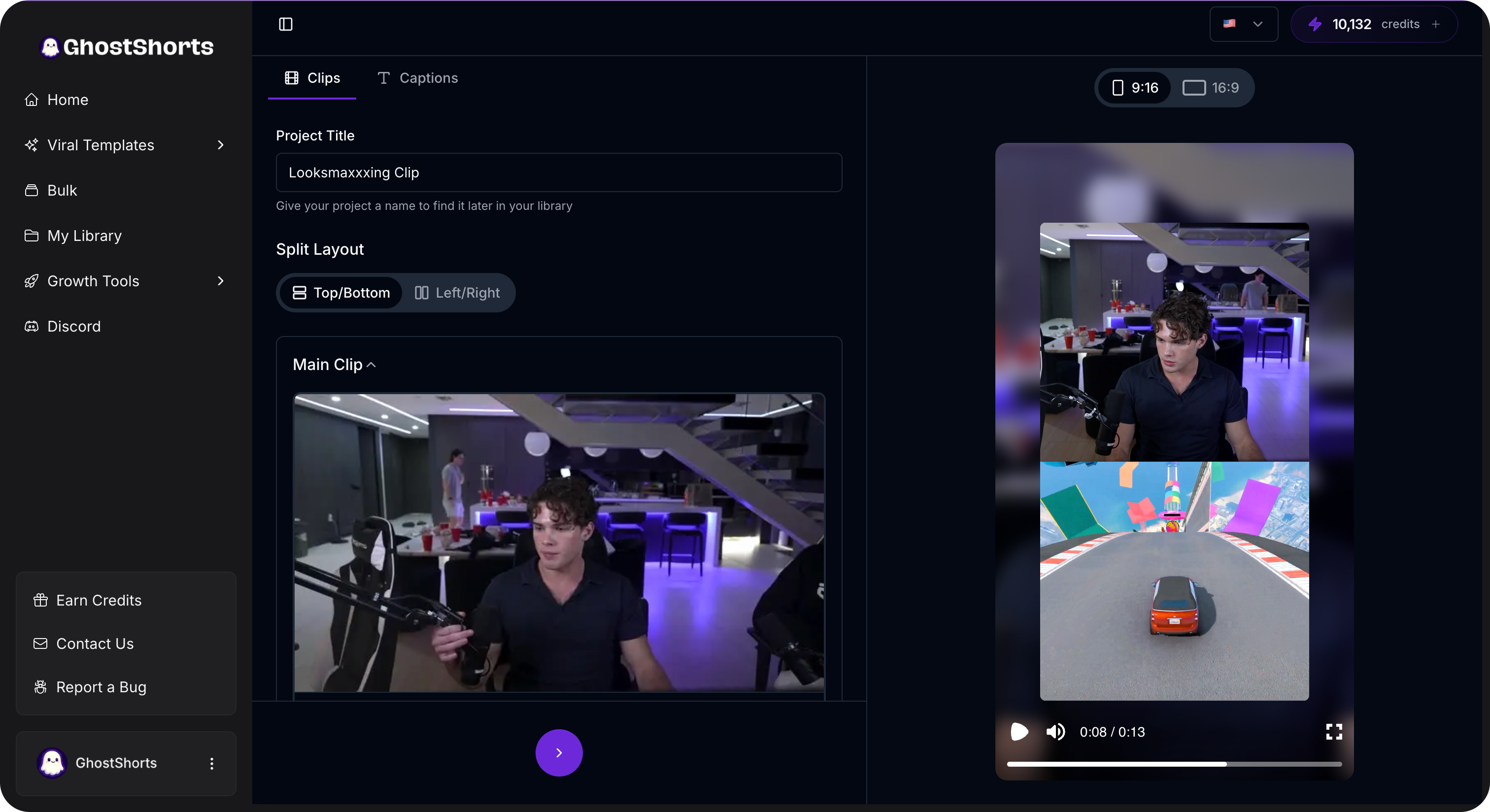
Split screen is especially great for podcast clips, interview content, or any talking-head video where the visual isn't super dynamic on its own. GhostShorts' split screen feature makes this dead simple. Pick your clip, choose a bottom visual, done.
Adding Captions Is Non-Negotiable
I'll say it louder for the people in the back.
You need captions on every single Short you post. Every. Single. One.
Here's why:
80% of people watch short-form videos without sound. They're on the bus. They're in bed next to someone sleeping. They're pretending to work. If your video doesn't have captions, they're scrolling right past it.
Captions also:
- Boost retention. People read along and stay longer.
- Help accessibility. Deaf and hard-of-hearing viewers exist and they deserve to enjoy your content.
- Feed the algorithm. Platforms can actually read your captions and understand your content better for recommendations.
- Make your content work internationally. Even non-native speakers can follow along more easily with text on screen.
The style of your captions matters too. Those plain white subtitles at the bottom? They work. But animated, word-by-word captions that highlight each word as it's spoken? They work way better.
You've seen them everywhere. The bold, colorful text that pops on screen one word at a time. There's a reason every viral creator uses this style. It's almost impossible to look away.
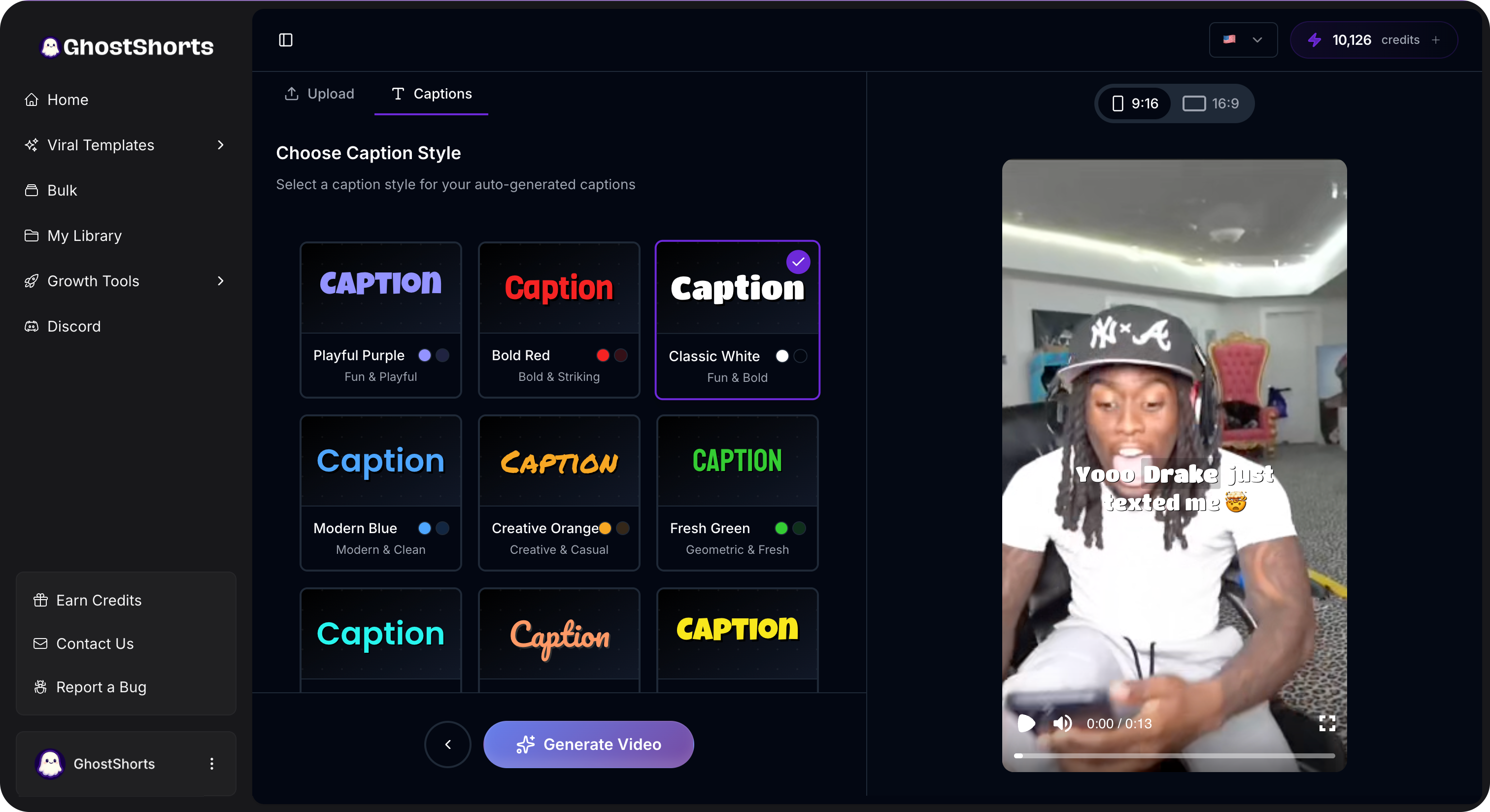
GhostShorts' auto captions feature generates these automatically. No typing, no syncing, no spending an hour in CapCut manually timing each word. The AI transcribes your audio and adds animated captions that actually look good.
This alone can turn a mediocre repurposed clip into something that looks professionally edited.
Your Posting Strategy (Don't Dump Everything at Once)
You pulled 6 great clips from your latest YouTube video. Awesome.
Do not post all 6 today.
I see creators do this constantly. They batch-create a bunch of Shorts and then dump them all on the same day. The algorithm doesn't reward that. Your audience doesn't want that.
Here's a better approach:
Stagger your clips. Post one clip per day, or every other day. This gives each clip its own chance to perform. If you post 6 at once, they compete with each other for your audience's attention.
Lead with your best clip. Don't save the best for last. Post your strongest clip first. If it pops off, it drives traffic to your profile where people find your other content.
Time it with your long-form upload. Post your first clip the day your full video goes live. It acts as a teaser that drives traffic to the long version. Then keep posting clips throughout the week to maintain momentum.
Cross-post everywhere. The same clip should go on TikTok, YouTube Shorts, and Instagram Reels. Each platform has different audiences. Someone who follows you on TikTok might not be on YouTube, and vice versa. Don't assume overlap.
Customize for each platform. Tiny adjustments make a difference. TikTok loves trending sounds layered underneath. YouTube Shorts rewards strong titles. Reels performs well with hashtags (our free Hashtag Generator can help). Same core clip, small tweaks for each platform.
Track what works. After a few weeks of posting repurposed clips, you'll start seeing patterns. Maybe your hot takes perform 3x better than your tips. Maybe clips under 30 seconds crush clips over 45 seconds. Use that data to pick better clips next time.
How GhostShorts Makes All of This Easier
Look, you can do everything I just described manually. Plenty of creators do.
But it takes forever. And if you're posting consistently (which you should be), it becomes a part-time job just to repurpose your existing content.
That's exactly what GhostShorts was built for.
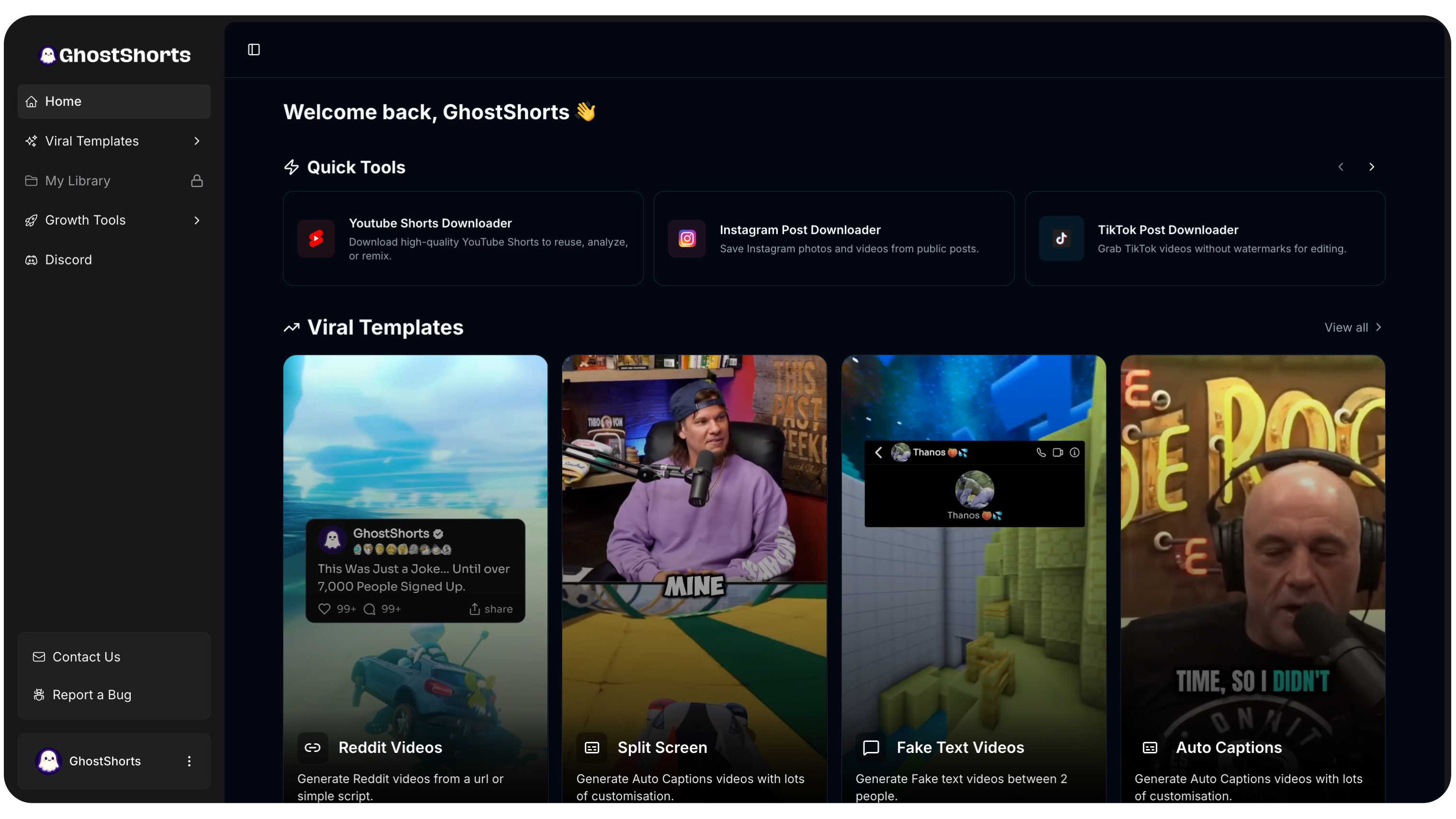
Here's what you get:
Auto Captions that actually look good. AI-generated, animated, word-by-word captions that sync perfectly with your audio. No manual timing. No typos. Just clean, engaging text that keeps viewers watching.
Split Screen layouts built for repurposed content. Take your horizontal talking-head clip, put it on top, add engaging visuals on the bottom, and you've got a vertical Short that doesn't look like a lazy crop.
And the big one: AI Clipper. Paste a link to your long-form video and the AI reads the transcript, finds the moments that stand on their own, cuts them to vertical, and captions them. The entire repurposing workflow, handled for you.
We're talking about going from a 60-minute podcast to a batch of ready-to-post Shorts in minutes. Not hours. Minutes.
The Bottom Line
You don't need to create more content. You need to get more out of the content you already have.
Every long video you've ever made is sitting there full of untapped potential. Clips that could be getting thousands, even millions of views on short-form platforms.
The creators winning right now aren't necessarily the ones making the most content. They're the ones distributing it the smartest.
So here's your move:
- Pick your best-performing long video from the last month
- Watch it at 2x speed and mark 5-8 potential clip moments
- Use the "Would I Send This?" test to narrow it down to your top 3-5
- Reformat them properly for vertical (no black bars, centered subject, good safe zones)
- Add animated captions to every single one
- Post one clip per day across TikTok, YouTube Shorts, and Reels
Do this consistently for a month. Watch what happens to your numbers.
And if you want to skip the manual grind? GhostShorts has your back.
Start repurposing. Your content deserves more than one shot at going viral.