
You know what's funny about Top 5 videos?
They've been dominating YouTube since 2012. And they're still one of the highest-performing formats on the platform.
The difference now? You don't need to spend 8 hours editing one.
AI changed everything. You can make a polished Top 5 countdown video in under 10 minutes. No camera. No face. No editing skills. Just a script and the right tool.
Let me show you exactly how.
Best Niches for Top 5 Content
Not every niche works equally well. Some are goldmines. Others are graveyards.
Here's what actually performs in 2026:
| Niche | Example Topic | Difficulty | Monetization Potential |
|---|---|---|---|
| Scary Facts | "Top 5 Creepiest Places on Earth" | Easy | High (high CPM) |
| Expensive Things | "Top 5 Most Expensive Cars Ever Sold" | Easy | Very High (luxury ads) |
| Travel Destinations | "Top 5 Hidden Beaches in Europe" | Medium | High (affiliate + sponsorship) |
| Tech Gadgets | "Top 5 Gadgets Under $50" | Medium | Very High (affiliate links) |
| Historical Events | "Top 5 Mysteries From Ancient Egypt" | Easy | Medium |
| Animal Facts | "Top 5 Deadliest Creatures in the Ocean" | Easy | Medium |
| Unsolved Mysteries | "Top 5 Disappearances Never Solved" | Easy | High (high CPM) |
| Food/Restaurants | "Top 5 Most Expensive Meals in the World" | Medium | High (sponsorship potential) |
| Sports Moments | "Top 5 Craziest NBA Plays This Season" | Hard (copyright) | Medium |
| Space/Science | "Top 5 Scariest Things in Deep Space" | Easy | High (high CPM) |
My recommendation if you're starting fresh? Go with Scary Facts, Expensive Things, or Unsolved Mysteries.
They're easy to research, easy to script, and they attract viewers who binge-watch. That means more watch time, more subscribers, more money.
Use our free Video Ideas Generator to brainstorm specific topics within your chosen niche. It'll give you dozens of ideas in seconds.
Step-by-Step: How to Make a Top 5 Video with AI
Alright. Let's get practical.
Here's the exact process to go from zero to published video.
Step 1: Pick Your Niche and Topic
Choose one niche from the table above. Stick with it for at least 10 videos before switching.
Consistency matters more than picking the "perfect" niche.
For your topic, think about what would make YOU click. "Top 5 fastest animals" is fine. "Top 5 animals that could outrun a sports car" is better. The more specific and surprising, the more clicks you get.
Need help? The YouTube Title Generator can help you craft titles that actually get clicked.
Step 2: Research Your 5 Items
You need five items, ranked from least impressive (#5) to most impressive (#1).
Where to find them:
- Google: Search "[topic] ranked" or "most [adjective] [thing]"
- Reddit: Subreddits like r/todayilearned, r/interestingasfuck, r/askreddit are goldmines
- Wikipedia: Great for historical and factual lists
- ChatGPT: Ask it to generate a ranked list with interesting facts about each item
Pro tip: Your #1 pick should be genuinely surprising or controversial. If people can guess #1 before watching, you've lost them.
Step 3: Write the Script
Each item should get 10-15 seconds of script. For a 60-second Short, that's tight. For a 2-minute video (which qualifies for the Creativity Program), you have more room.
Here's the structure:
Hook (3-5 seconds): "You won't believe what's at number one." or "Number one on this list has never been done before."
Item 5 (10-15 seconds): Start with something interesting but not your best material. You're warming them up.
Item 4 (10-15 seconds): Slightly more impressive.
Item 3 (10-15 seconds): This is where it gets good. Mention that the top 2 are "on another level."
Item 2 (10-15 seconds): Hit them hard. Make them think THIS might be #1.
Item 1 (15-20 seconds): Your best material. The payoff. Make it worth the wait.
Tease #1 in your hook. Something like "And number one? It costs more than most houses." This single technique can boost your completion rate by 30-40%.
Step 4: Generate with GhostShorts
This is where AI saves you hours.
GhostShorts' Top 5 tool was literally built for this exact format. Here's how it actually works:
1. Give it a title. One main title (like "Top 5 Scariest Moments") that stays pinned at the top of the video throughout the entire countdown.
2. Upload and label your clips. Upload between 2-10 pre-curated clips. Each clip becomes one "rank" in the countdown. Upload 5 clips, you get a Top 5. Upload 10, you get a Top 10. Give each clip its own title.
3. Order your clips. Drag to set the countdown order. #5, #4, #3, #2, #1. Easy.
4. Customize the vibe. This is where it gets fun. Tweak fonts, colors, and caption styles. Add effects between clips like blur transitions, bass boosts, and smooth cuts.
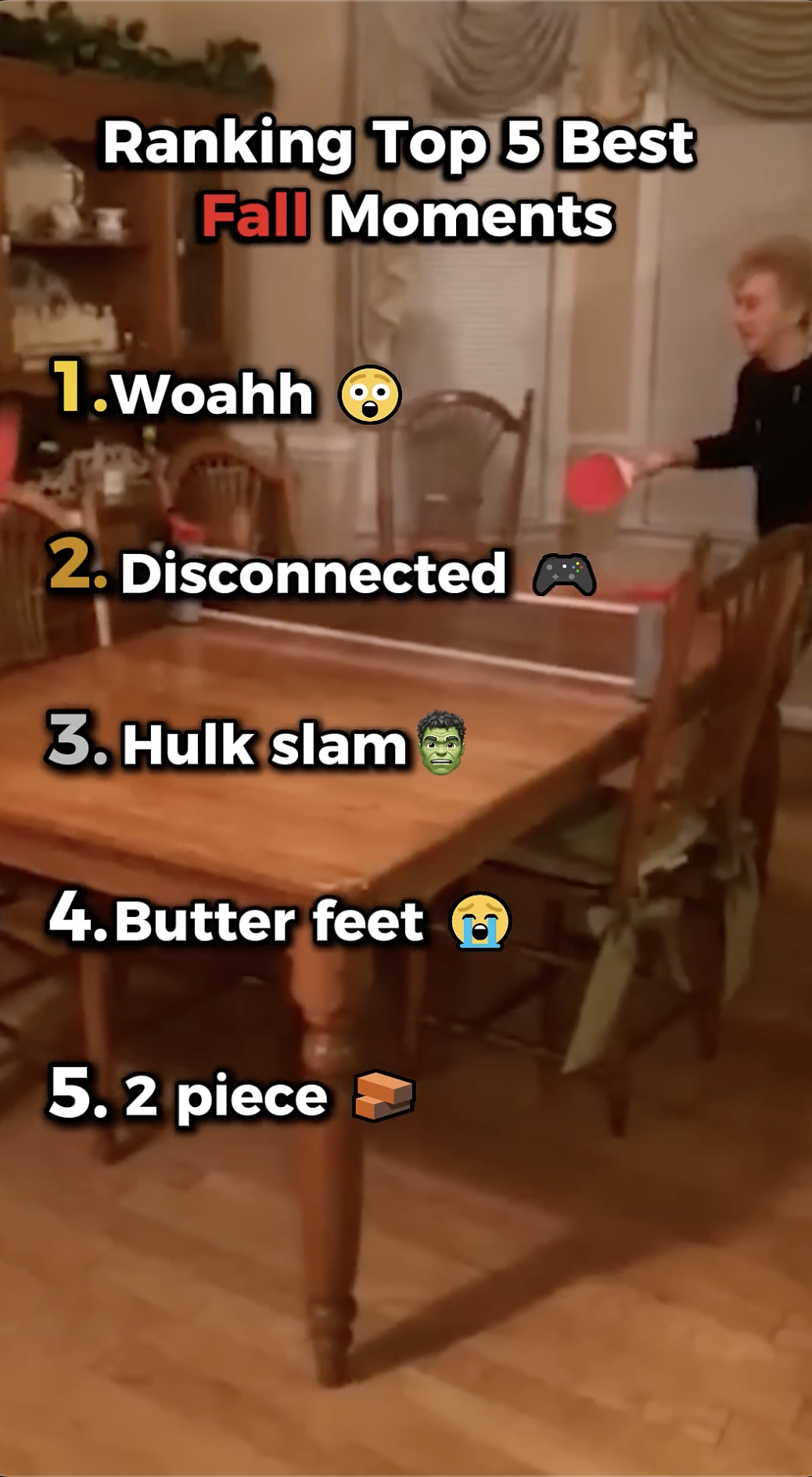
5. Generate and export. One click. GhostShorts auto-assembles everything into a formatted countdown video with your title pinned at the top, numbered rankings, transitions, and captions. Done. Ready to post.
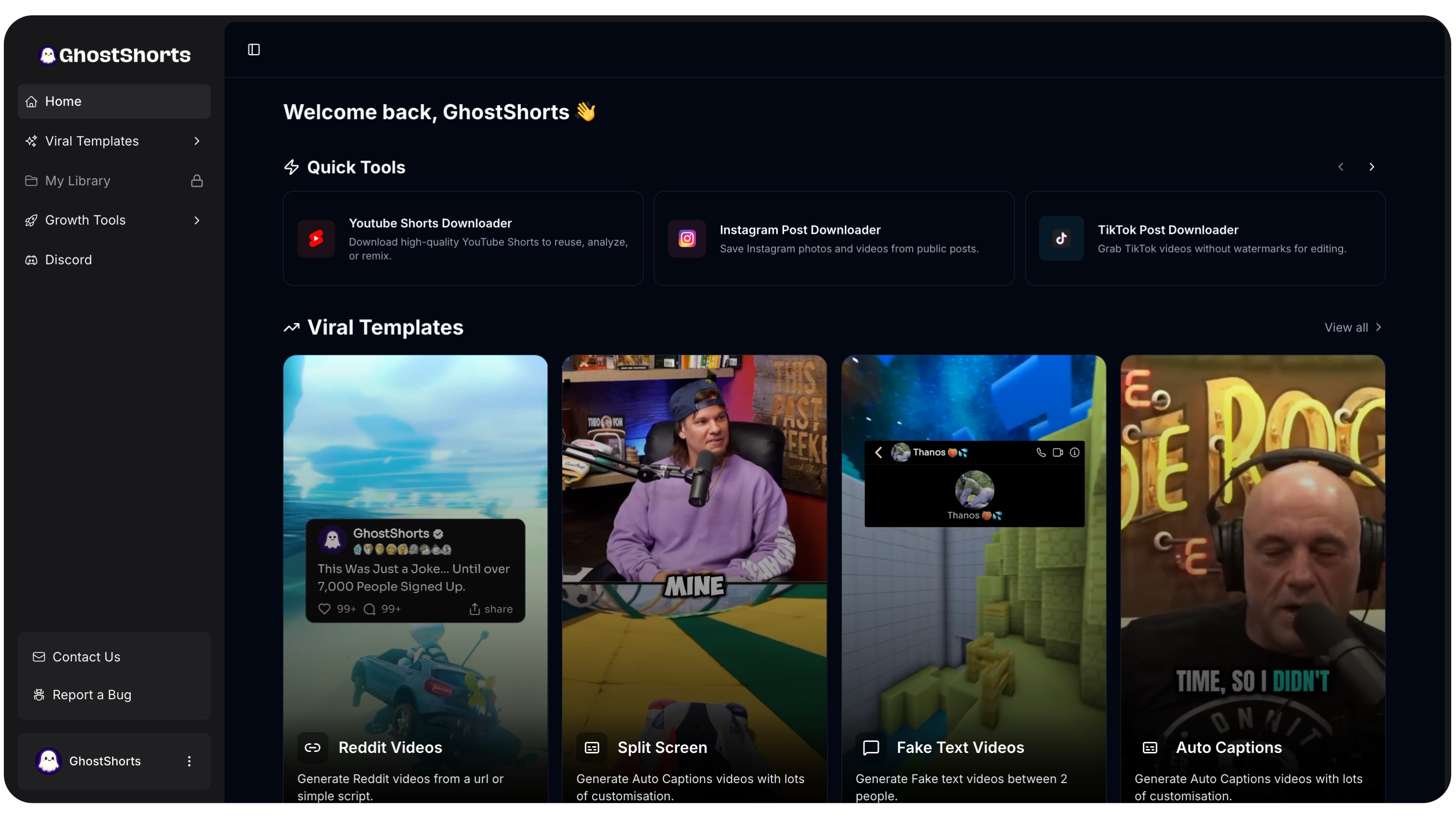
Think of it like: give it a title, upload your clips, label and order them, customize the look and effects, hit generate. That's it. What used to take 3-4 hours of editing now takes minutes.
Here's what the final product looks like:
Step 5: Add Captions
This is non-negotiable in 2026.
85% of social media videos are watched without sound. If you don't have captions, you're invisible to most viewers.
GhostShorts has built-in auto-captions that sync perfectly with your voiceover. Bold, animated, word-by-word captions that keep eyes on screen.
You can also customize the style, font, and color to match your brand.
Step 6: Post with a Curiosity-Driven Title
Your title is everything. It determines whether someone clicks or scrolls past.
Bad title: "Top 5 Expensive Cars"
Good title: "Top 5 Cars That Cost More Than a House"
Great title: "You Can't Afford ANY of These 5 Cars"
See the difference? The great title creates a curiosity gap AND challenges the viewer. It's personal. It's bold.
Use our YouTube Title Generator to test different angles.
Want to skip the editing?
GhostShorts turns your ideas into viral shorts with AI voiceovers, captions, and gameplay clips. Ready to post in minutes.
Try GhostShorts TodayThe Psychology of Why Countdown Videos Work
Ever started watching a Top 5 video and thought "I'll just see number 5 real quick"?
Then suddenly you've watched the whole thing.
That's not an accident. Countdown videos exploit three psychological triggers:
1. The curiosity gap. The second you hear "Top 5 most dangerous animals you've never heard of," your brain NEEDS to know what #1 is. It's physically uncomfortable to not find out. Psychologists call this the "information gap theory." You call it being hooked.
2. Each item resets attention. Most videos lose viewers gradually. Countdown videos are different. Every new number acts like a mini-reset. Your attention spikes again at each reveal. It's like getting five hooks in one video.
3. Built-in completion incentive. People who make it to #3 almost always stay for #1. The sunk cost kicks in. "I've already watched three, might as well see the best one." Your watch time goes through the roof.
This is why Top 5 videos consistently outperform other formats for average view duration. And that's the metric YouTube cares about most.
Advanced Techniques for Top 5 Videos
Once you've got the basics down, these techniques will separate you from every other Top 5 channel.
The "Things You Didn't Know" Format
Instead of "Top 5 Fastest Animals," try "Top 5 Things You Didn't Know About Cheetahs."
This format works because it challenges the viewer. People think they know about cheetahs. They think they know about the Titanic. They think they know about Elon Musk.
Tell them they don't, and they HAVE to prove you wrong. That means watching the whole video.
Controversial #1 Picks
Want comments? Want engagement? Pick a #1 that people will argue about.
"Top 5 Greatest Basketball Players" with someone other than Michael Jordan at #1? Your comments section will explode. And YouTube's algorithm LOVES comments.
Just make sure you can actually defend your pick. Controversy drives engagement. Being wrong drives unsubscribes.
The Series Format
Post "Top 5 [Niche]" every single week. Same day. Same time.
This does two things. First, it trains your audience to come back. Second, it tells YouTube's algorithm that you're consistent, which gets you pushed to more people.
Some channels post a Top 5 video every single day. With AI tools, that's completely doable.
If you want to mix up formats, try alternating between Top 5 videos and Reddit story videos or split-screen content. Variety keeps your channel fresh while the Top 5 format stays your bread and butter.
Tease #1 in the First 3 Seconds
This is the single most important technique.
Don't just say "Here are the top 5 scariest places." Instead, show a 1-second flash of #1 with text that says "Wait for number 1."
Or open with: "Number one on this list is so terrifying that it was banned from Google Maps."
You just turned a casual scroller into a committed viewer. They WILL watch to the end.
Some creators even use rage-bait techniques in their hooks to maximize that initial grab. It's aggressive, but it works.
Monetization: How Top 5 Videos Make Money
Let's talk about the part you actually care about.
YouTube Creativity Program (Shorts): If your Top 5 Short is over 1 minute, it qualifies for the Creativity Program. This pays significantly more than regular Shorts monetization. Some creators report $50-200+ per million views depending on niche.
YouTube Partner Program (Long-form): Make your Top 5 videos 8+ minutes and you can run mid-roll ads. Tech and finance niches can earn $10-30+ CPM.
Affiliate Links: "Top 5 Gadgets Under $50" with Amazon affiliate links in the description? That's passive income on autopilot.
Sponsorships: Once you hit 10K-50K subscribers with consistent Top 5 content, brands in your niche will reach out. A single sponsorship can pay $500-5,000+ per video.
Curious what your content could earn? Try the TikTok Money Calculator to estimate your potential revenue across platforms.
The real play is volume. One Top 5 video might get 10K views. But if you post daily for 90 days, you'll have 90 videos working for you around the clock. That's when the money gets serious.
How GhostShorts Makes This Stupid Easy
Look, you CAN make Top 5 videos the hard way. Write a script in Google Docs. Record voiceover on your phone. Find stock footage on Pexels. Edit everything in CapCut or Premiere Pro. Add captions manually.
That takes 3-5 hours per video.
Or you can use GhostShorts.
Here's the actual workflow:
- Give it a title for your countdown (stays pinned at the top of the video the whole time)
- Upload your pre-curated clips (2-10 clips, each one becomes a rank)
- Label each clip with its own title
- Drag to order them in countdown sequence
- Customize the vibe: fonts, colors, caption styles, effects between clips (blur transitions, bass boosts, smooth cuts)
- Hit generate. One click. Done. Ready to post.
Total time: under 10 minutes.
That means you can realistically post one Top 5 video per day. Seven days a week. Without burning out. Without hiring an editor. Without spending your entire evening in a timeline.
The channels that win in 2026 aren't the ones with the best editing skills. They're the ones who post consistently with good content. AI tools like GhostShorts make that possible for anyone.

Start Making Top 5 Videos Today
Here's your action plan for the next 24 hours:
- Pick a niche from the table above
- Write one script using the structure I showed you
- Generate the video with GhostShorts' Top 5 tool
- Post it with a curiosity-driven title
- Repeat tomorrow
That's it. No overthinking. No waiting until you have the "perfect" setup.
The creators who are making money with Top 5 content right now aren't more talented than you. They're not smarter. They just started.
Your turn.
Try GhostShorts free and make your first Top 5 video today →