

Let's be real. If you're still manually editing every TikTok video in 2026, you're falling behind.
The top creators on the platform are posting 3 to 5 times a day. They're not doing that by sitting in front of a timeline for 4 hours per clip. They're using AI tools for TikTok to move faster, post more, and still keep the quality high.
This guide breaks down the best TikTok content creation tools across every category. Video creation, captions, hashtags, analytics, scheduling. All of it.
No fluff. Just the tools that actually work.
Video Creation: Where It All Starts
Your videos are the product. These tools help you make better ones, faster.
GhostShorts
If you're making faceless content, this is the one.
GhostShorts is built specifically for the short-form video formats that blow up on TikTok. We're talking Reddit story videos, fake text conversations, split-screen content with gameplay underneath, and rage bait videos that rack up comments.
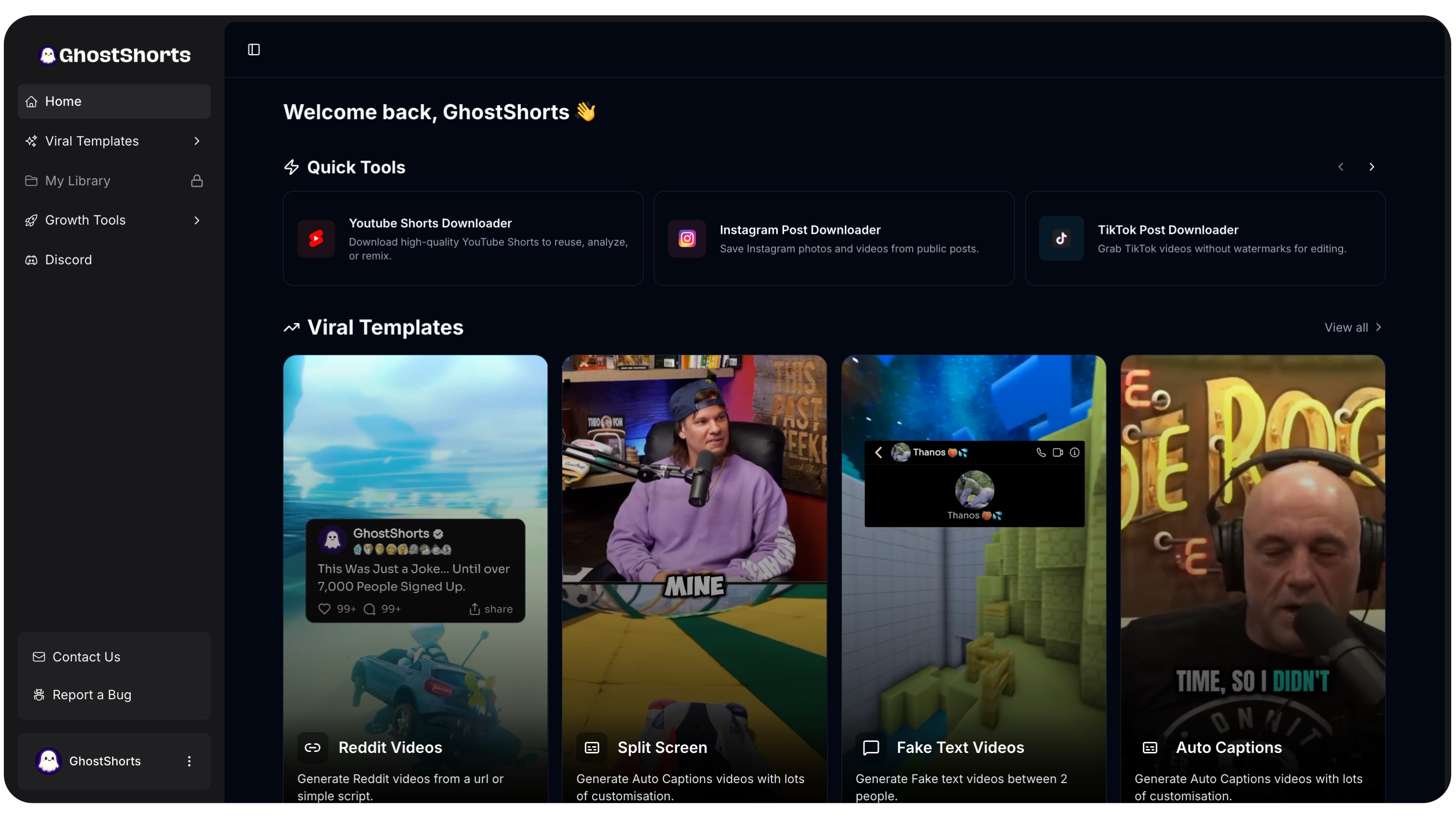
Here's how it works. You enter a topic or paste a script. Pick your format. GhostShorts handles the AI voiceover, captions, background visuals, and export. Most videos are done in under 3 minutes.
The big advantage? Format variety. It covers more faceless video formats than any other single tool. Reddit stories, fake texts, rage bait, split-screen - all from one dashboard.
Best for: Faceless video creation at scale Pricing: No free plan; free preview of your own input before paying. Plans are on the pricing page (checked 2026-09-27)
CapCut
Still the king of free video editing for TikTok.
It's owned by ByteDance, so it plugs directly into TikTok's ecosystem. Auto-captions, trending effects, one-tap templates. The 2026 version has better AI background removal and auto-editing features too.
The catch? Everything is still manual at its core. Great for one-off edits. Not great if you need to crank out 3 videos a day.
Best for: Quick manual edits with trending effects Pricing: Free with optional pro features
Canva
Canva's video editor has gotten surprisingly good.
If your TikToks are text-heavy (tips, lists, quotes, branded content), Canva makes it easy to keep everything on-brand with saved templates, fonts, and color palettes. The AI features like Magic Write and Magic Edit speed things up a lot.
Best for: Text overlay videos and branded TikTok content Pricing: Free tier, Canva Pro at $13/month
Adobe Express
For creators already in the Adobe world, Express gives you professional templates with AI text-to-image, background removal, and generative fill. It plays nicely with Photoshop and Premiere assets.
Best for: Professional polish with Adobe integration Pricing: Free tier, premium at $10/month
Caption and Script Tools: Write Faster, Hook Harder
The words matter just as much as the visuals. Maybe more.
ChatGPT
You already know this one.
ChatGPT is still the swiss army knife for TikTok scripts, hooks, and captions. The trick is being specific with your prompts. Tell it your niche, your audience, your tone. Ask for a "Reddit story script about a workplace confrontation" and you'll get a usable first draft in seconds.
Best for: Scripts, hooks, captions, brainstorming Pricing: Free tier, Plus at $20/month
GhostShorts TikTok Hook Generator
The first line of your video is everything.
The TikTok Hook Generator is a free tool that spits out scroll-stopping opening lines based on your topic. Enter what your video is about, get multiple hook options back.
It saves you that 15 minutes of staring at a blank screen every single time.
Best for: Opening hooks that stop the scroll Pricing: Free
Copy.ai
Need captions for 20 videos at once? Copy.ai handles batch generation well. Set up your templates, feed it your topics, and get all your captions in one go. The tone controls keep everything consistent.
Best for: Bulk caption generation Pricing: Free tier, paid from $49/month
Hashtag Tools: Get Discovered by the Right People
Hashtags still matter in 2026. They tell the algorithm who should see your content. These tools take the guesswork out.
GhostShorts Hashtag Generator
The Hashtag Generator analyzes your content topic and gives you a mix of trending and niche-specific hashtags. It doesn't just throw popular tags at you. It tailors suggestions to what you're actually posting about.
Best for: Smart hashtag sets for TikTok reach Pricing: Free
Hashtag Expert
Goes deeper than basic suggestions. You get growth trends, competition levels, and related hashtag data for each tag. Good for creators who like to be data-driven about discovery.
Best for: Detailed hashtag analytics Pricing: Free with in-app purchases
TikTok Creative Center
Underrated. This is TikTok's own tool showing you trending hashtags, sounds, creators, and formats in real time. The data comes straight from the source, so it's as accurate as it gets.
Best for: Real-time trending hashtag research Pricing: Free
Want to skip the editing?
GhostShorts turns your ideas into viral shorts with AI voiceovers, captions, and gameplay clips. Ready to post in minutes.
Try GhostShorts TodayAnalytics Tools: Know What's Working
You can't improve what you don't measure. These tools show you what's hitting and what's missing.
GhostShorts Best Time to Post Tool
Timing can be the difference between 500 views and 50,000 views on the exact same video.
The Best Time to Post tool identifies the optimal posting windows for your target audience. It's free. Use it.
Best for: Finding your best posting windows Pricing: Free
TikTok Analytics (Native)
Available to all Pro accounts. Watch time, completion rate, audience demographics, follower growth. In 2026, TikTok added more granular data on how content performs across different audience segments and what percentage of views come from the For You page.
Best for: Built-in performance tracking Pricing: Free with TikTok Pro account
GhostShorts TikTok Money Calculator
Want to know what your account is actually worth? The TikTok Money Calculator estimates your earning potential based on followers and engagement rate. Super useful when negotiating brand deals.
Best for: Estimating earning potential Pricing: Free
Pentos
Pentos is all about competitive analysis. Track what your competitors post, how it performs, what sounds they use, what trends they're riding. This kind of intel is gold when planning your own content.
Best for: Competitor tracking and content gaps Pricing: From $29/month
Scheduling Tools: Stay Consistent Without Babysitting Your Phone
Consistency wins on TikTok. These tools help you post on schedule without manually opening the app every few hours.
Later
One of the most reliable schedulers out there. Visual content calendar, multi-account management, analytics built in. TikTok support is solid.
Best for: Visual planning and multi-platform scheduling Pricing: Free tier, paid from $25/month
Buffer
Just need something simple? Buffer handles TikTok scheduling with basic analytics and a clean interface. No bloat.
Best for: Simple, no-frills scheduling Pricing: Free for 3 channels, paid from $6/month
Metricool
Combines scheduling with detailed analytics. You can see your publishing schedule and performance data side by side. That feedback loop helps you post more of what works.
Best for: Scheduling plus analytics in one place Pricing: Free tier, paid from $18/month
Build Your Tool Stack (Don't Overdo It)
You don't need every tool on this list. Pick 3 to 4 that cover your workflow and master them.
Here's what that looks like for different creator types.
Faceless Content Creators
- Video creation: GhostShorts for faceless video generation
- Hashtags: GhostShorts Hashtag Generator
- Hooks: TikTok Hook Generator
- Scheduling: Later or Buffer
- Analytics: TikTok native + Best Time to Post
On-Camera Creators
- Editing: CapCut for quick edits with trending effects
- Scripts: ChatGPT for drafts and brainstorming
- Hashtags: TikTok Creative Center
- Scheduling: Metricool
- Music: Epidemic Sound
Brands and Businesses
- Video creation: Canva for branded content, GhostShorts for viral formats
- Captions: Copy.ai for batch generation
- Analytics: Pentos for competitive intel
- Scheduling: Later for visual planning
- Hashtags: GhostShorts Hashtag Generator
Mistakes That Waste Your Time
Using AI output without adding your voice. AI scripts and captions are starting points. The creators who stand out add their own perspective. Let the tools do the heavy lifting, then make it yours.
Signing up for everything. More tools equals more friction, not less. Start lean. Add tools only when you have a clear gap.
Ignoring analytics. Check your TikTok analytics weekly. Watch time, completion rate, which formats drive engagement. Then do more of what works.
Posting without a plan. AI makes volume easy. But volume without strategy is just noise. Every video should have a purpose.
Start Building Your Workflow Today
The fastest-growing TikTok creators in 2026 aren't the most talented editors. They're the ones with efficient systems.
If video creation is your bottleneck, try GhostShorts. If your hashtags are an afterthought, use the Hashtag Generator. If your hooks are weak, test the TikTok Hook Generator.
Pick your tools. Build the workflow. Start posting.
The algorithm rewards action. The best time to start is right now.