The complete guide tofake text videos
Learn why chat stories keep people watching, which types get views, how to make one step by step, and what the platforms allow.
Why text message videos hold attention
Text message videos tap into something deeply human: the urge to read other people’s conversations. When a chat plays out on screen, it feels like looking over someone’s shoulder at their phone, and that pull keeps people watching.
The chat layout is also instantly familiar. Even someone on Android has seen the blue and gray iMessage bubbles thousands of times in memes and screenshots, so there is nothing to figure out. Viewers understand the format the moment it appears and start reading. A talking-head video asks them to decide whether the person is worth listening to first; a chat skips that step.
The pacing does the rest. Every new bubble is a small hook, a reason to stay for the next one. A conversation that keeps raising the stakes gives the viewer dozens of those moments in under a minute.
The format is fully faceless, too. No camera, no microphone, no lighting, no quiet room. Everything comes from the conversation you write. Other faceless formats work on the same principle, such as Reddit story videos and Roblox rants.
Types of text message videos that get views
Not every chat is worth watching. These are the formats creators come back to again and again, and what makes each one work.
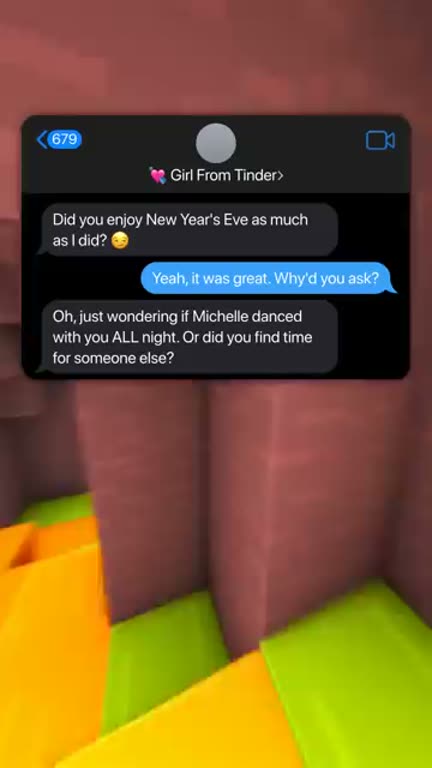
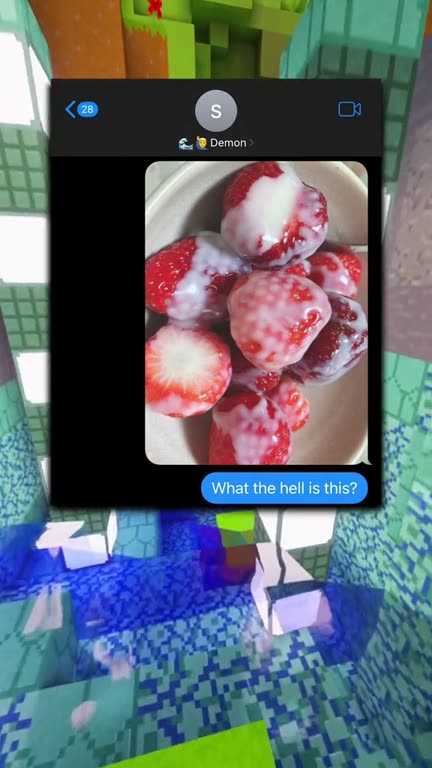
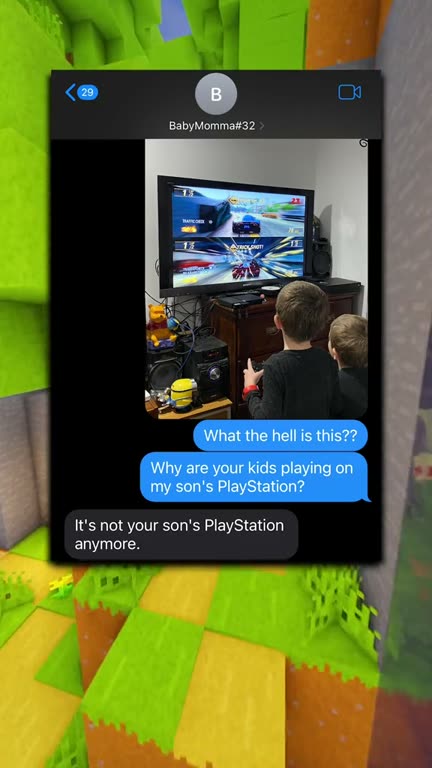
Real fake text videos made with GhostShorts
Three chats our creators turned into videos, and the trick behind each one.
| Format | What happens | Why it works |
|---|---|---|
| Prank texts | One side sends something ridiculous or shocking to see how the other reacts. | The humor lives in the unexpected reply. |
| Dramatic reveals | A conversation slowly uncovers a secret, a betrayal or an unexpected truth. | Tension builds with every message. |
| Relationship drama | Breakup texts, caught-cheating scenarios, jealous confrontations. | High emotional stakes get comments and shares. |
| Creepy texts | A wrong-number chat that turns dark, or messages from a sender who should not exist. | Fear keeps people watching to the last bubble. |
| Comedy exchanges | Witty back-and-forth, autocorrect fails, misunderstood messages, absurd scenarios. | Easy to rewatch and easy to send to a friend. |
| Plot twist stories | A chat that looks normal until one final message changes the meaning of everything before it. | The twist drives rewatches and “I did not see that coming” comments. |
The best ones share one thing: emotional stakes. Humor, tension, fear or surprise, the conversation has to make the viewer feel something. A flat exchange will not hold anyone, however good the animation looks. GhostShorts animates and voices the chat, but it does not write it for you, so the story is your part of the job.
How to Make a Fake Text Video with GhostShorts
Step 1 happens in the generator, steps 2 to 5 in the editor. Click any screenshot to see it full size.
- People in the chatYou and one contact
- Messages per chatUp to 80
- Chat appsiMessage, WhatsApp, Instagram, Tinder
- Photo messagesOn screen for 1 to 10 seconds
- Delay before a message0.5 to 5 seconds
- AI voices47 voices in 9 languages, one per side
- ExportVertical 1080x1920 MP4
- Render timeAbout a minute
Text Message Videos by Platform
The same vertical video works everywhere short-form lives, but each platform rewards slightly different things.
- TikTok30 to 90 secThe biggest home for text stories. A tight chat beats a long one. Tags like #textstory and #fakechat help.
- YouTube ShortsUp to 3 minRetention is rewarded, and Shorts keep surfacing in YouTube search long after you post.
- Instagram ReelsUp to 3 minRelationship drama and comedy travel well. A still of the key message makes a good companion post.
Making one video work everywhere
- Pick the app your audience knowsiMessage is the most recognized chat look. WhatsApp feels like home where it is the default messenger, and Tinder fits dating stories.
- One file for all threeGhostShorts renders one 1080x1920 MP4, the vertical format all three platforms expect. Upload the same file everywhere.
Are Fake Text Videos Against Platform Rules?
TikTok, YouTube and Instagram generally allow fictional, creative content, and a made-up chat between made-up people is fiction. Rules change, so check each platform's current guidelines before you build a channel on it.
Keep it clearly fiction
It keeps your videos in the entertainment category.
- Use made-up names, not real people
- Add "fictional, for entertainment" to the caption
- Skip anything that could pass for a real crime or emergency
If it is based on a real chat
You are publishing someone else's messages.
- Take out names and numbers
- Remove anything that identifies the other person
- Rewrite it in your own words
Making text videos by hand vs GhostShorts
Before tools like this, there were two ways to make a text message video: screen record a real phone, or build the animation in After Effects. Here is how they compare.
| Screen recording | After Effects | GhostShorts | |
|---|---|---|---|
| Getting the chat on screen | Type every message live, often on two phones | Design and keyframe every bubble | Type the messages; the bubbles animate in order |
| Timing | As fast as you can type, mistakes included | Set by hand on a timeline | Each bubble held for its voice clip, plus any delay you add |
| Voices | Record separately and sync | Record separately and sync | One AI voice per side, generated in the wizard |
| A mistake | Means starting the take over | Means re-editing | Means editing one message and rendering again |
| Output | Depends on the phone | Professional, if you have the skills | 1080x1920 MP4 at 30 fps, every time |
| Cost | Your time | An Adobe subscription plus your time | Starter is $19.99 a month for 30 videos |
The real gain is consistency. With screen recording, a typo or a notification ruins the take. After Effects has a high ceiling but needs motion graphics skills. With GhostShorts you spend your time on the writing, and the render takes about a minute. If you also have footage you have already recorded, the auto captions template adds word-synced captions to it.
Tips for viral text message videos
The video is the easy part. The story, pacing and structure decide whether it gets a hundred views or a million. These are the techniques that keep showing up in text stories that travel.
Start with a hook message
The first message has to grab attention immediately. “We need to talk” is worn out. Try something specific: “I just saw you at the mall with someone” or “I found something on your phone.” Treat it like the headline of your story.
Pace it like a real conversation
Messages arriving at perfectly even intervals feel robotic. Real chats have quick replies in heated moments and long pauses when someone does not know what to say. Short messages already move fast, so save your delays for the moments that need them, such as a pause of a few seconds before the big reveal.
Keep messages short and punchy
Real texts are short. Long paragraphs in a chat bubble look unnatural and slow everything down. Break a long thought into several short messages; each one becomes another small reveal.
Land the reveal with a photo
A picture message is a strong payoff: the screenshot, the receipt, the photo nobody was supposed to see. Hold it on screen long enough for viewers to take it in.
End with a twist or a cliffhanger
The ending decides whether people share. A predictable ending gets scrolled past; a twist gets comments and rewatches. Write the last message so it changes the meaning of everything before it, for example “That was your best friend’s phone, not mine.” Or stop right before the final reply and let the comments ask for part 2.
Match the music to the mood
Background music sets the tone under the voices: something tense for drama and creepy texts, something light for comedy and pranks. Keep it under the voices, not over them.