The complete guide toTop 5 ranking videos
Learn why ranking videos keep people watching, which Top 5 topics get views in your niche, how a countdown is built, and practical tips that keep viewers to the end.
Why Ranking Videos Hold Attention
Ranking videos are built around one question: what made the top spot? The moment a viewer reads "Top 5 craziest moments of the year", an open loop starts. They want to see the winner, and the only way to get there is to watch everything before it. That pull keeps people watching to the end, and watch time is what short-form platforms reward.
There is a second force at work. Once someone has seen the first entry of a list, leaving halfway feels like walking out of a movie before the ending. A clear numbered structure makes the progress visible, so viewers always know how close they are to the payoff.
Rankings also start arguments, in the best way. Every list is debatable, and viewers say so: "How is this not number one?" or "You forgot the best one." Those comments and shares bring the video to people who would never have found it otherwise, and the format produces them without you having to bait anyone.
Finally, the format works in almost any niche. Gaming, sports, streamers, food, pets, products, travel: anything you can rank becomes a list video. The structure stays the same, only the clips change.
Types of Top 5 Videos That Get Views
A Top 5 video in GhostShorts is built from your own clips, so the strongest formats are the ones where you already have, or can easily film, the footage. Here are the variations that show up again and again in short-form feeds.
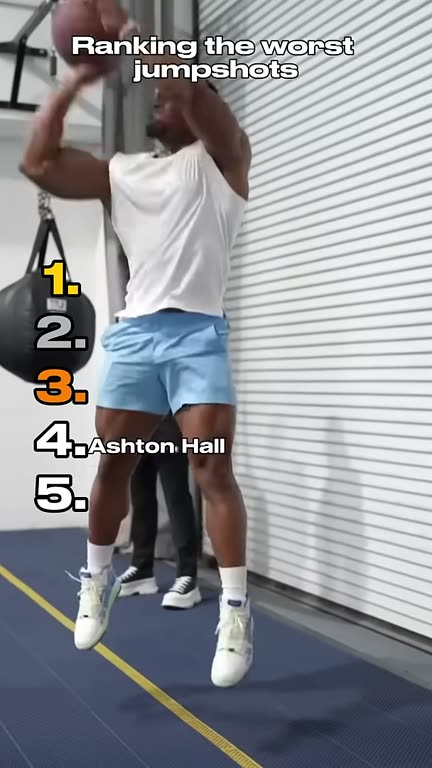
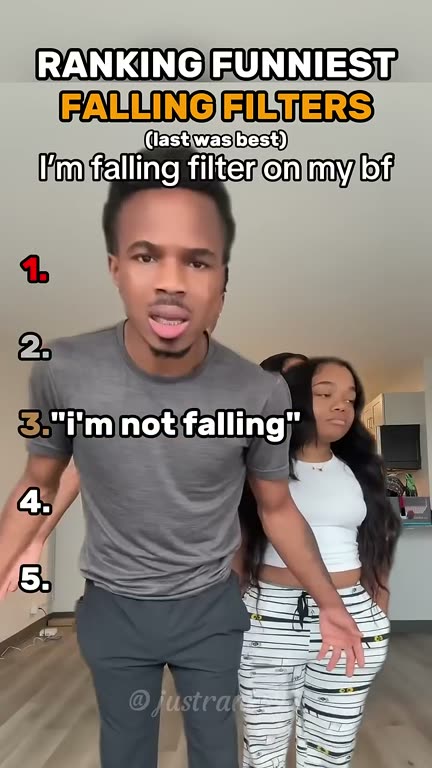
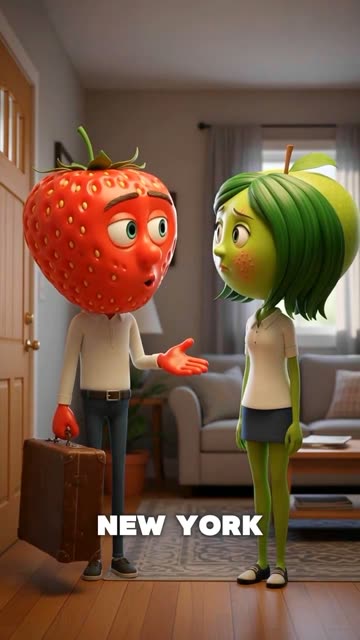
Real Top 5 videos made with GhostShorts
Three countdowns our creators made, and the trick behind each one.
| Format | Niche | Hook style |
|---|---|---|
| Best moments | Streamers, podcasts, sports, events | "Top 5 moments from this stream" |
| Funniest or wildest | Gaming, pets, comedy, fails | "Ranking the funniest fails, wait for the last one" |
| Worst to best | Food, gadgets, movies, travel | "Ranking every [item] I tried from worst to best" |
| Tier list | Gaming, anime, sports teams | "Ranking the top 5 [characters, weapons, players]" |
| Product picks | Tech, beauty, fitness, home | "My top 5 [products] this year" |
| Before you buy or visit | Local spots, restaurants, travel | "Top 5 places in [city] you need to try" |
The "wait for the last one" hook is the strongest of these for retention, but it makes a promise. If your final clip does not deliver, viewers feel tricked and say so in the comments. Use it when your top pick really is the best thing in the video.
How to Make a Top 5 Ranking Video with GhostShorts
The Top 5 template takes the parts of a ranking video that eat editing time (the numbered list, the colors, the trims, the finale) and builds them for you. You bring the clips and the titles.
- Clips per videoUp to 10, ranked in your order
- Countdown titleUp to 100 characters
- Clip titlesUp to 60 characters each
- ThemesFire, Ice, Mono
- FontsBangers, Anton, Impact, Bebas Neue
- Top pickOptional bass-boost hit as it reveals
- On screenThe full numbered list stays visible
- BackgroundBlurred copy of the clip fills the frame
- ExportVertical 1080x1920 MP4
Best Topics for Top 5 Videos by Niche
The best ranking topics share three things: people have opinions about them, people search for them, and each entry looks different on screen. Here is how that plays out in the biggest niches.
Gaming
Gamers live for rankings, and they will argue about your order in the comments for days.
- Top 5 hardest bosses I have beaten
- Top 5 most broken weapons right now
- Top 5 funniest glitches from my stream
Streamers, podcasts and events
The best moments hide in hours of footage. Five of them in one short sends viewers to the full version.
- Top 5 moments from this week's stream
- Top 5 hottest takes from episode 40
- Top 5 crowd reactions from the show
Sports
Fans consume rankings constantly, and a weekly Top 5 of your own league is a series people share.
- Top 5 goals of the season
- Top 5 saves from Saturday's game
- Top 5 wildest finishes this month
Products and tech
Rankings help people decide what to buy. Film each product yourself and rank them honestly.
- Top 5 budget earbuds I tested
- Top 5 desk setup upgrades under $50
- Top 5 apps I use every day
Food and travel
Every dish, street or view looks different, so each entry stays visually fresh.
- Top 5 things to eat in [city]
- Top 5 hidden spots in [city]
- Top 5 dishes on our menu
Pets
Pet owners film everything, so the clips already exist, and funny animal moments get shared.
- Top 5 times my dog got caught
- Top 5 cat zoomies this month
- Top 5 dramatic pet reactions
Finding topics that keep working
- See what is working this weekSearch "top 5" plus your niche on TikTok or YouTube and sort by recent uploads. Subreddit and Discord arguments about "the best" are rankings waiting to happen.
- Lean evergreenA news list spikes and dies. The best beaches, greatest goals or hardest bosses keep finding viewers for months. Save news lists for big moments.
Can You Monetize Top 5 Videos?
The videos you make with GhostShorts are yours to post and monetize. There are two main ways to earn, and one rule that decides whether you get paid at all.
Platform creator programs
YouTube and TikTok pay creators who reach their follower and view thresholds.
- Check each platform's current requirements; the numbers change
- Rankings hold attention, which is what the programs reward
- A series gives people a reason to follow for the next list
Sponsorships and business accounts
A ranking gives a product a natural spot in the video, which brands like.
- Disclose paid placements the way each platform requires
- Businesses post lists like "Top 5 things our customers order"
- A list feels like entertainment, not an ad
Editing a Ranking Video by Hand vs with GhostShorts
You can build a Top 5 video in any editing app. Plenty of creators start that way. Here is where the time goes, and what the template does for you.
| Step | Manual editing | GhostShorts Top 5 |
|---|---|---|
| Numbered list overlay | Design the list graphic and update it for every entry | The numbered list and titles are built and updated automatically |
| Rank colors | Pick and apply a color for each entry | Choose a theme and the colors shift from entry to entry for you |
| Trimming | Cut every clip on a timeline | Set a start point and length per clip, or tap a quick length |
| Transitions and sound | Place a sound effect at every cut and balance the music by hand | Sound effects play at every transition or the intro; music loops under the video at your volume |
| The finale | Keyframe a zoom or punch on the final reveal | Toggle the bass-boost punch on your top pick |
| Vertical framing | Build a blurred background layer for clips that do not fill 9:16 | A blurred copy of the active clip fills the frame with one switch |
The more often you post, the bigger the gap gets. Once the template handles the structure, your time goes into the part only you can do: picking the clips and deciding the order. See the pricing page for current plans.
Tips for Top 5 Videos That Keep Viewers to the End
Building a ranking video is easy. Building one that holds people to the final reveal takes a little planning.
Save your best clip for last
Each entry should feel like a step up from the one before. If your strongest clip plays first, nobody has a reason to stay.
Tease the winner in your title
A countdown title that hints at the top pick without naming it, like "The last one broke the internet", starts the curiosity loop in the first second.
Keep every clip short
Trim each entry to the moment that matters. A few seconds per clip keeps momentum high, which is why the quick lengths run 3, 5 and 8 seconds.
Write titles people read in a second
Clip titles have room for 60 characters, but shorter is better. Viewers should take in the title at a glance and go back to watching the clip.
Make the finale worth the wait
Your top pick is the payoff for the whole video. If it feels flat, viewers remember that next time they see your list. Pick something surprising, impressive or genuinely funny.
Invite the argument
End your post caption or a pinned comment with a question like "What would you put at number one?" Disagreement in the comments is the format working as intended.
Want captions on a talking clip? Add them with Auto Captions, then upload the captioned video as one of your clips.