The complete guide toSkeleton AI videos
Learn why the skeleton “what if” format works, which mode fits your topic, how to make a video step by step, and how to grow a skeleton channel.
Why the skeleton “what if” format works
The skeleton “what if” video stacks three things short-form video rewards: a curious premise, a host viewers recognize at a glance, and a payoff at the end. In Skeleton AI the narration speaks in the second person, so the viewer is the skeleton: “You drink your third coffee. Your heart speeds up.” That framing pulls people into the scenario instead of asking them to watch someone else live it.
The scenario answers a question the viewer was already curious about. What actually happens inside your body when you skip a night of sleep? What would a week as a Roman soldier feel like? A good premise makes the viewer want the answer, and the scene-by-scene structure keeps handing out small pieces of it until the last line lands.
The audience is broader than one joke. Body and health questions pull in people who like to learn something; historical scenarios pull in history fans and curious browsers. The format is a structure, not a single meme, which is why channels can build a library around it.
Types of Skeleton AI videos and which mode to use
Skeleton AI has two modes. Body journey is a trip through the body: “what happens when you take, eat, or do X.” Narrative journey is a story told from your point of view: “what if you were raised by X” or dropped into another era. You only type the topic; the app picks the mode from it.
Real Skeleton AI videos made with GhostShorts
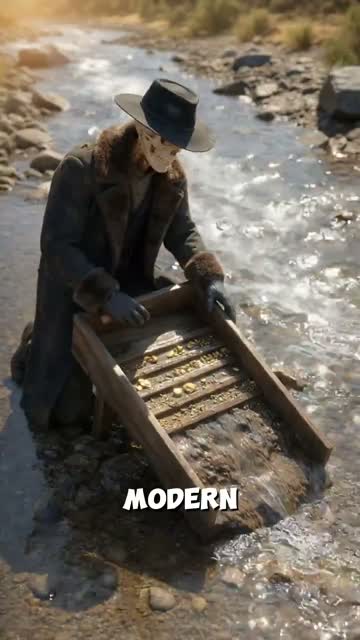
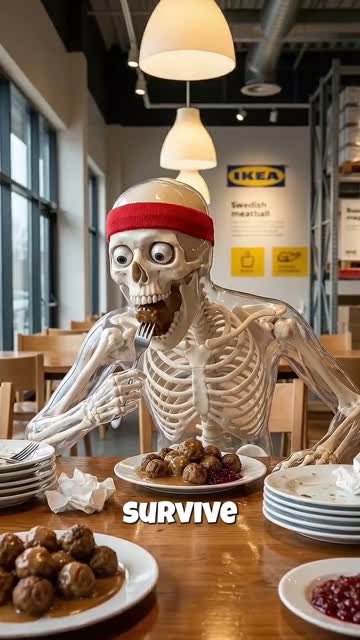
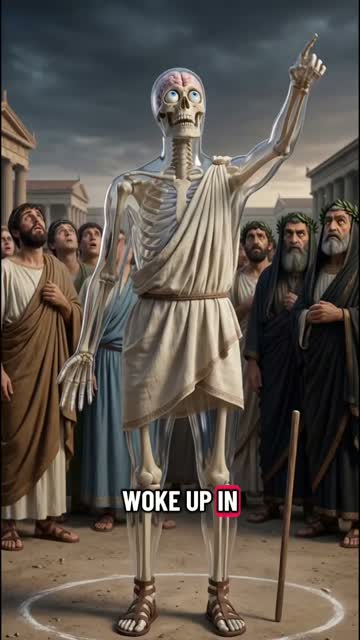
Three videos our creators made, and the trick behind each one.
| Subgenre | What happens | Mode |
|---|---|---|
| Body limits | What your body goes through with no sleep, intense cold, deep water pressure, or a held breath | Body journey |
| What you eat, drink, or do | A step-by-step trip through the body after a coffee, a spicy chip, or a long run | Body journey |
| How many / how long | An escalating question, such as how long you could stay awake or how many stairs you could climb | Body journey |
| Raised by | An unusual upbringing and how it would shape you, such as being raised by wolves or in a lighthouse | Narrative journey |
| One week in another era | You live a week in ancient Egypt, medieval England, or Edo Japan | Narrative journey |
| Historical jobs | You try an old or unusual job, such as a Roman soldier, a medieval scribe, or a lighthouse keeper | Narrative journey |
| Product and brand promos | An ad told as a body journey, such as what happens to your body after a night on a cheap mattress, or after your first coffee of the day | Body journey |
The cleanest growth play is to pick one subgenre and stack 10 to 20 videos in it before you branch out. TikTok and YouTube Shorts push a channel faster when they can tell what it is about.
Using skeleton videos for ads
- Pick everyday productsCoffee, mattresses, sneakers, a travel destination: anything whose effect on a day or a body is easy to show. The skeleton explains, the product is the reason it happens.
- Mark it as an ad, make no health claimsTurn on the platform’s paid-promotion label. Weight-loss, supplement and other health products are the most restricted ad category on TikTok and Meta, and Skeleton AI will not write cures, medical claims or weight-loss plans.
How to Make a Skeleton AI Video with GhostShorts
Six steps in the app, from your topic to the finished video. Click any screenshot to see it full size.
- 1Type your “what if”
- 2Generate the storyboard
- 3Animate scenes
- 4Narration and music
- 5Captions
- 6Transitions and render
- ModesBody journey and Narrative journey
- Video length30, 45 or 60 seconds
- Scenes5 to 14, one short narrated line each
- Script languagePicked on the first screen
- NarratorOne AI voice for the whole video
- CaptionsWord by word, style and position you pick
- ExportVertical 1080x1920 MP4
How long should a Skeleton AI video be?
You pick the length before the script is written, and it sets the number of scenes. Each scene is one short line of narration, so the length decides how much of the story you can tell.
- 30 seconds5 to 7 scenesOne clear question and its answer. The easiest to watch to the end.
- 45 seconds8 to 10 scenesThe default. Room for a build-up and a payoff.
- 60 seconds11 to 14 scenesFor a story with more beats, like a full week somewhere else.
Fitting the topic to the length
- Shorter gets finishedCompletion rate decides reach. If a topic has one answer, 30 seconds is enough; save 60 for stories that need the extra scenes.
- Split rich topics into partsA week as a Roman soldier can be three videos: arrival, the routine, the day it goes wrong. End each one on an open question.
Can You Post and Monetize Skeleton AI Videos?
The videos you export are yours to post and monetize. TikTok and YouTube both ask creators to label AI-generated content, and both have a toggle for it at upload. Practical guidance, not legal advice: check each platform’s current terms.
Getting paid
Each platform has its own bar.
- YouTube: 1,000 subscribers plus 4,000 watch hours or 10M Shorts views in 90 days
- TikTok Creator Rewards pays only for videos over one minute
- Accurate, specific topics beat batch output
Staying within the rules
What the script will and will not write.
- Scripts stay PG; body topics are framed as curiosity
- No self-harm, dosages, eating-disorder plans or medical advice
- No graphic injury or sexual content
Making skeleton videos by hand vs GhostShorts
Most creators who try the skeleton trend by hand stitch videos together in an editor with stock animations and a recorded voiceover. It works, but every step is manual. Here is how the two approaches compare.
| Step | Manual (editor + voiceover) | GhostShorts Skeleton AI |
|---|---|---|
| Script | Write every scene by hand | Written from your topic, split into scenes |
| Visuals | Find or license skeleton clips and splice them together | A generated still for every scene, with optional animation |
| Voiceover | Record yourself or hire a voice actor | An AI narrator you pick, generated for every scene |
| Captions | Sync by hand or use a separate tool | Word-level captions timed to the narration |
| Changes | Re-edit and re-export the whole timeline | Regenerate a single still or animate a single scene |
The time you save goes into what actually grows a channel: sharper premises, studying what is working, and posting more often.
Tips for growing a Skeleton AI channel
The channels that win post steadily and pick sharper premises, not the ones with the fanciest edits.
Front-load the hook
Open on the most surprising line. “You wake up in ancient Greece, and nobody speaks your language” beats “Today we look at life in ancient Greece.” The first second decides whether a viewer stays.
Specific beats vague
“What if you spent one day as a Roman soldier guarding Hadrian’s Wall in winter” gives the script far more to work with than “What if you were Roman.” Name the place, the time and the pressure.
Get the facts right
Body and history videos attract viewers who notice mistakes. Check the claims in your script before you post; accurate details make a video worth saving.
Animate the payoff
Spend your animation on the scenes that carry the surprise and let the rest play with the slow zoom.
Keep captions readable
Many viewers watch on mute. Pick a bold, high-contrast caption style and check it on a real phone before you post.
Cross-post everywhere
Post the same video to TikTok, YouTube Shorts and Instagram Reels; performance varies a lot by platform. For a narrated format to run alongside, try Reddit story videos.